File Hub by imoreapps8.7.4
Publisher Description
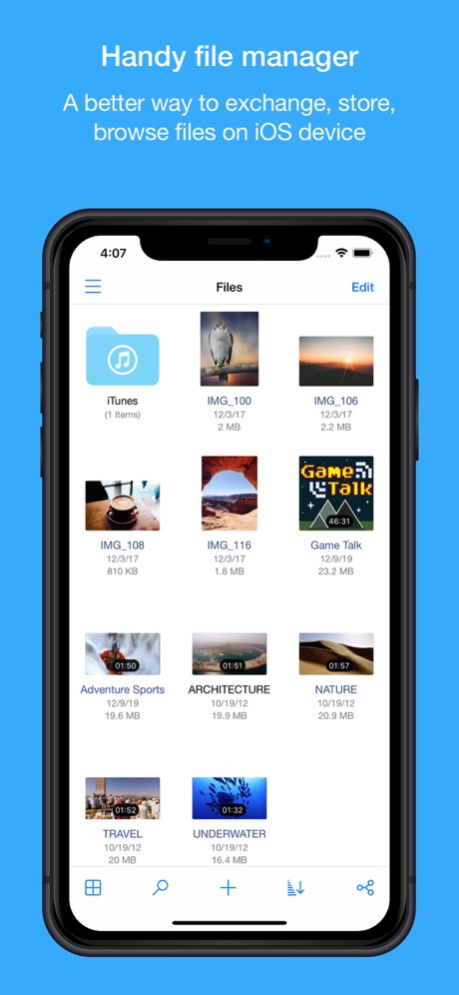
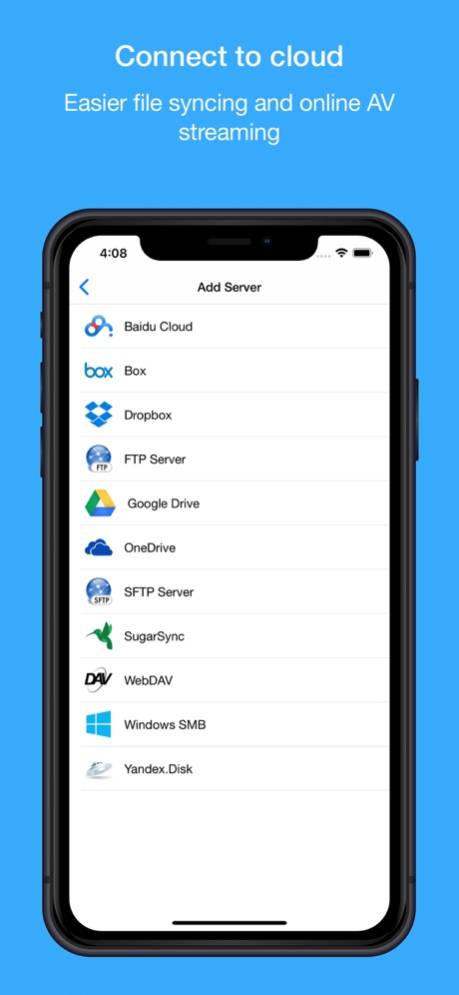
A better way to exchange, store, browse files on iOS device. It helps user accessing the most popular cloud services and old fashion NAS/WebDAV/FTP/SFTP servers, viewing PDF document and playing most of audio/video formats without convert hassles. Millions use File Hub every day to manage their files.
KEY FEATURES:
- Multiple themes support
• Light mode
• Dark mode
- Passcode Lock
• Simple and complex passcode support
• Lock folder with passcode
• Turn on/off passcode lock
• Change passcode
- Local File Manager
• More than 40+ file types support
• List, Details and Icon view modes support
• Deep file searching
• Create folder, Voice Memo, TXT file
• Create file from clipboard
• Rename, Copy, Move, Delete, Zip file
• Sort files by "Name", "Date", "Size", "Kind" fields
• Can extract ZIP, RAR, 7-zip, CBZ, CBR, TAR, BZ2, GZ file
• Import music from iPod library
• Import photo & video from Photos Library
• Save photo & video to Photos Library
• Open in support
- Cloud File Manager
• Support iCloud, Google drive, Dropbox, Box, OneDrive, SugarSync, Yandex.disk & Baidu cloud services
• FTP,SFTP,WebDAV & Windows SMB/CIFS support
• Directly upload photos from Photos Library
• View account basic informations, such as Quota, used size etc
• Directory download, upload support
• iCloud, Dropbox and OneDrive support getting share link
• Dropbox, OneDrive and Baidu support viewing online PDF, photo and streaming music & video files.
• Box, Google drive, SugarSync, Yandex.disk and WebDAV only support viewing online PDF & photo files.
- TXT Viewer
• Edit TXT file
• Auto-detecting file encoding
• Multiple file encoding support
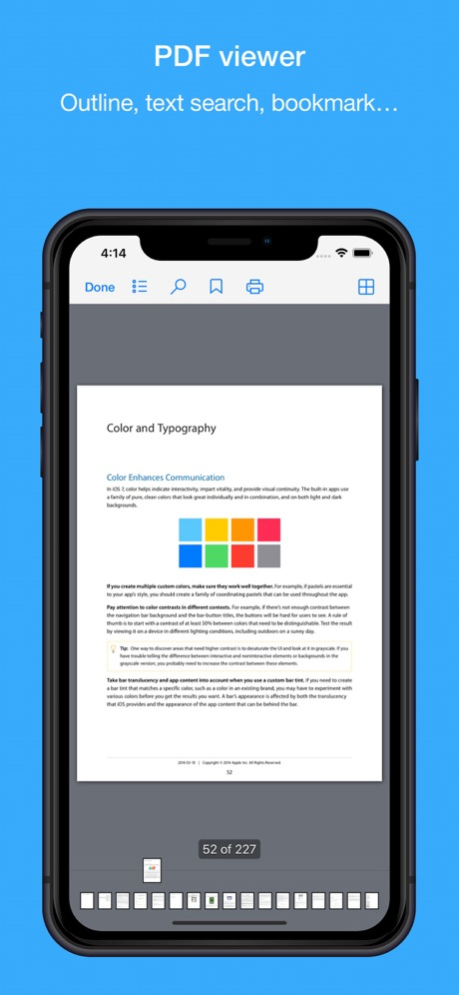
- PDF Reader
• Bookmarks
• Outline view (TOC)
• Text search with highlighting
• Thumbnail grid display
• Retina Display ready
• Large PDF files support
• Pinch and Double tap gestures support
- Photo Viewer
• View all photos in a folder, includes GIF and normal video(MP4/MOV/M4V) formats
• Pinch gesture support
• Copy photo to clipboard
• Save photo to Camera Rolls
• Send photo by email & Twitter
• AirPrint support
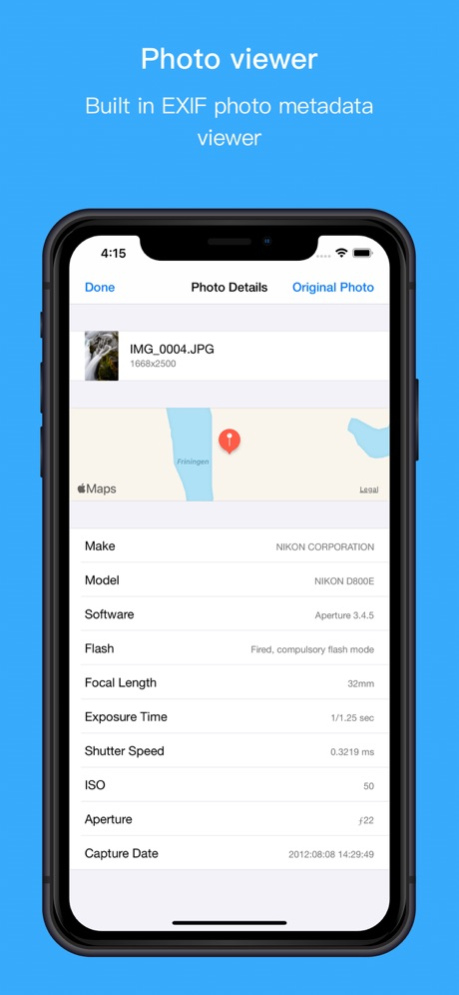
• View photo details (EXIF information)
- Music Player
• Playlist & background playback support
• Queue music support
• Sleep timer support
• Repeat & Shuffle modes support
• Play, pause, backward and forward control
• iPod controls can be used for the music control
• Display song's info on Unlock screen
- Video Player
• Playlist & background playback support
• Repeat & shuffle modes support
• Supports multiple audio & subtitle streams
• Supports majority video formats: MP4/MOV/M4V/AVI/FLV/WMV/MKV/RMVB/MPG/F4V
• Airplay MP4/MOV/M4V video formats
• TV-Out support
- File Sharing
• Supports iTunes USB File Sharing
• Supports Wi-Fi Bluetooth & AirDrop transfer
• Send files as attachments (size under 20MB)
Jan 15, 2024
Version 8.7.4
- Add support of Share Extension
- Some minor bug fixes
About File Hub by imoreapps
The company that develops File Hub by imoreapps is 晓飞 李. The latest version released by its developer is 8.7.4.
To install File Hub by imoreapps on your iOS device, just click the green Continue To App button above to start the installation process. The app is listed on our website since 2024-01-15 and was downloaded 32 times. We have already checked if the download link is safe, however for your own protection we recommend that you scan the downloaded app with your antivirus. Your antivirus may detect the File Hub by imoreapps as malware if the download link is broken.
How to install File Hub by imoreapps on your iOS device:
- Click on the Continue To App button on our website. This will redirect you to the App Store.
- Once the File Hub by imoreapps is shown in the iTunes listing of your iOS device, you can start its download and installation. Tap on the GET button to the right of the app to start downloading it.
- If you are not logged-in the iOS appstore app, you'll be prompted for your your Apple ID and/or password.
- After File Hub by imoreapps is downloaded, you'll see an INSTALL button to the right. Tap on it to start the actual installation of the iOS app.
- Once installation is finished you can tap on the OPEN button to start it. Its icon will also be added to your device home screen.
Program Details
System requirements
Download information
Pricing
Version History
version 8.7.4
posted on 2024-01-15
Jan 15, 2024
Version 8.7.4
- Add support of Share Extension
- Some minor bug fixes
version 8.7.2
posted on 2023-12-21
Dec 21, 2023
Version 8.7.2
Some minor bug fixes
version 8.7.0
posted on 2023-10-04
Oct 4, 2023
Version 8.7.0
Some iOS 17 compatibility issues fixes
version 8.6.6
posted on 2023-09-19
Sep 19, 2023
Version 8.6.6
Some minor bug fixes
version 8.6.0
posted on 2023-02-08
Feb 8, 2023
Version 8.6.0
- Support of Siri Shortcuts to open directly Wi-Fi, Bluetooth file transfer.
- Some minor bug fixes.
